To add pages in a Visio 2013 or 2010 diagram, simply click the Insert Page icon at the base of the Visio window.
In Visio 2007, 2010, and 2013; a page may be added to a Visio file through the Insert Tab or Menu.
Visio 2013
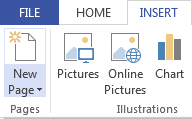
Visio 2010
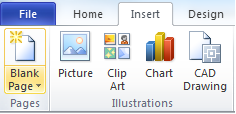
Visio 2007
After inserting a new page in Visio 2007, the Page Setup dialog is immediately presented. If working Visio 2010 or 2013 and there is a need to update the properties of the newly inserted page, go to the Design Tab and click on the Page Setup arrow or click Shift + F5.